Messed Up Number Formatting? This Excel Shortcut Fixes It
The General Number Format Shortcut helps you quickly remove unwanted formatting and reset numbers to their default General format. This shortcut is especially useful when numbers look incorrect, calculations behave unexpectedly, or formatting becomes confusing. In this article we will describe you about Shortcut Key for General Number Format in Excel, Number Format Shortcut in excel and More.
General Number Format Shortcut in Excel
Sometimes in Excel, numbers stop behaving like numbers. They may appear as dates, percentages, text, or currency when you don’t want them to. This usually happens due to accidental formatting or copied data.
Instead of manually fixing the format, Excel provides a simple shortcut to reset everything back to the General number format.
Shortcut Key for General Number Format in Excel
Shortcut Key
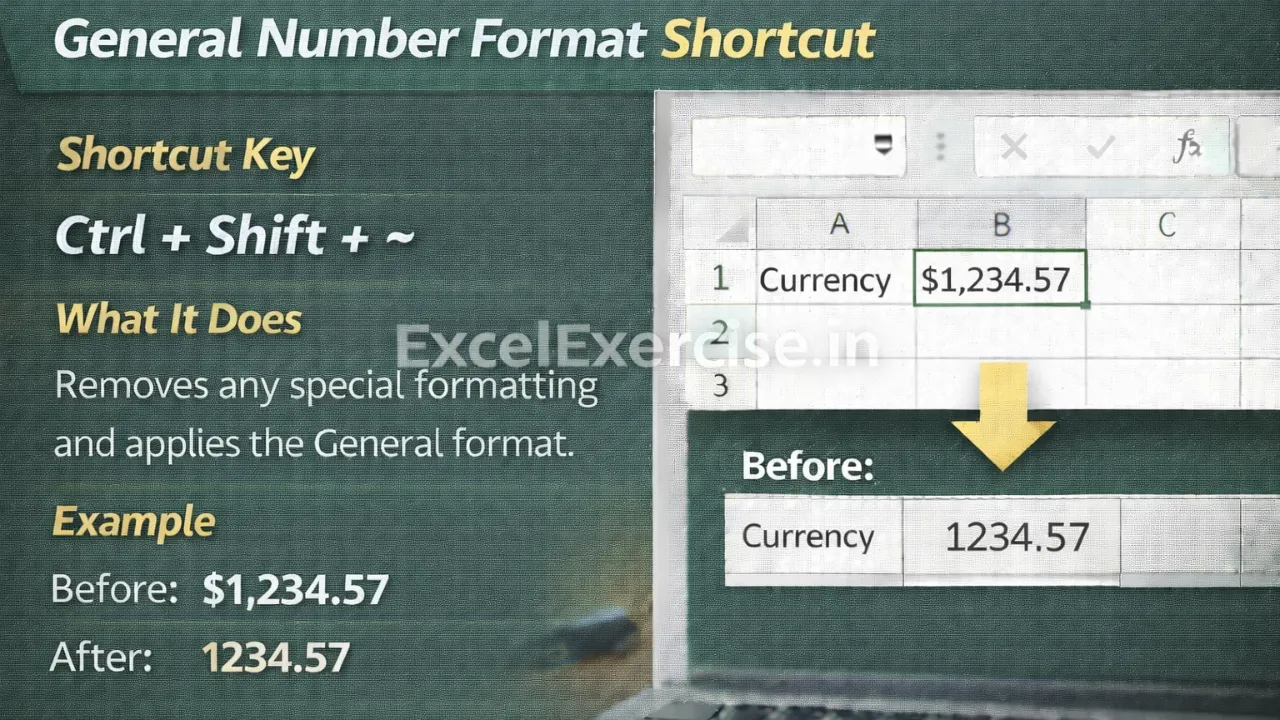
Ctrl + Shift + ~
What This Shortcut Does
This shortcut removes any special formatting applied to the selected cells and converts them back to the General format.
It resets formatting such as:
- Percentage
- Currency
- Date
- Time
- Comma style
The value itself does not change, only the format applied to it.
Example: Before and After Using Format Shortcut
Before Applying Shortcut
25%
₹1,000
15-03-2026
After Applying Shortcut
0.25
1000
45000
When to Use this Shortcut
This shortcut is very useful in situations like:
- When number formatting looks wrong
- When values are not calculating correctly
- When Excel treats numbers as text
- When cleaning imported or copied data
- When you want to start formatting from scratch
Important Thing to Remember
When applied, Excel decides how to display the value based on its type. You can always apply a specific format again after resetting to General.
This shortcut does not delete formulas or values, it only resets formatting.
Why You Should Use Shortcut
Using this shortcut saves time and prevents calculation errors caused by incorrect formatting. It is one of the fastest ways to troubleshoot Excel sheets and fix common formatting problems.
The Shortcut in Excel is a powerful tool that instantly fixes messed up formatting. By pressing Ctrl + Shift + ~, you can reset numbers to their default state and ensure your data works correctly.
Important links: